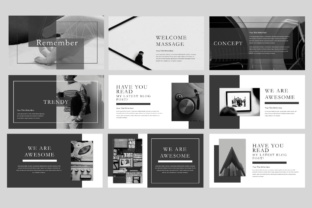
Remember Keynote: Smarter Presentations, Less Effort
If you’ve ever spent 90 minutes tweaking a single slide—adjusting fonts, repositioning icons, second-guessing color contrast—only to realize your core message got buried under polish, you’re not alone. Remember Keynote isn’t another presentation app. It’s a focused, intelligent layer built *on top of* Apple Keynote that helps you preserve intent, maintain consistency, and reclaim time without sacrificing polish or professionalism.
What Actually Makes Remember Keynote Different?
At its core, Remember Keynote is a macOS utility that observes and learns from your Keynote habits—not through AI hallucinations, but via structured pattern recognition. It watches how you name slides, group objects, apply transitions, reuse layouts, and even where you pause during rehearsals. Then it offers lightweight, context-aware suggestions: “You usually title this section ‘Results & Insights’—apply that label?” or “This chart style appears in 87% of your quarterly decks—reuse it here?”
It doesn’t auto-generate content or rewrite your script. Instead, it remembers what *you* value—your voice, your structure, your visual rhythm—and surfaces it when useful. That distinction matters. This isn’t automation for automation’s sake; it’s memory as infrastructure.
Key Strengths You’ll Notice in Week One
- Slide-level memory: Recognizes recurring slide types (e.g., “problem statement,” “customer quote,” “roadmap”) and pre-fills placeholders with your preferred phrasing, fonts, and spacing.
- Asset recall: Remembers which image folders, icon sets, or data sources you reach for most often—and surfaces them in the media browser based on current slide context.
- Consistency guardrails: Flags deviations from your usual typography hierarchy or color usage *before* you present—not after someone asks, “Why is this heading green now?”
- No cloud dependency: Everything runs locally. Your deck history, naming patterns, and layout preferences stay on-device unless you explicitly opt into syncing.
Where It Fits Across Real Workflows
Remember Keynote shines brightest where repetition meets nuance—environments where templates fall short but full customization burns time.
For Educators & Trainers
A high school science teacher uses the same “lab safety reminder” slide across 12 different units—but each version needs slight tweaks (equipment names, grade-level language, local policy links). With Remember Keynote, she saves one version as a “safety anchor,” and the tool auto-suggests relevant edits when she opens a new unit file. She spends less time copying and more time refining explanations.
For Freelancers & Agencies
Designers juggle client decks with wildly different brand guidelines. Remember Keynote learns each client’s preferred font pairings, slide ratios, and animation restraint level. When starting a new project tagged “Acme Corp,” it quietly disables bounce transitions and pre-selects their approved palette—no manual checklist needed.
For Founders & Startup Teams
Raising capital means iterating fast. A founder updates her pitch deck weekly—new metrics, revised TAM, updated team bios. Remember Keynote remembers which slides change most frequently (e.g., “Traction Snapshot”), highlights them for review, and preserves unchanged sections’ formatting—even after copy-paste mishaps or version merges.
Practical Benefits—Beyond “Saves Time”
Yes, it cuts down repetitive tasks. But the deeper wins are subtler—and more lasting:
- Stronger visual branding: Consistent spacing, alignment, and typography aren’t enforced by rules—they’re reinforced by habit, making brand integrity feel effortless, not enforced.
- Clearer communication: When slide structure becomes predictable (not rigid), audiences absorb ideas faster. Remember Keynote helps stabilize that structure without locking you into rigidity.
- Lower cognitive load: You stop remembering where you saved that SVG icon set or whether “Q3” should be bold or semibold. The tool recalls it—so your working memory stays free for strategy and storytelling.
- Smarter onboarding: New team members inherit not just templates, but *patterns*: how leadership prefers data visualized, how engineering explains technical trade-offs, how marketing frames competitive positioning.
Realistic Considerations Before You Try It
Remember Keynote works best when you already use Keynote regularly—and when your workflow includes some repetition. If you build every deck from scratch with zero reusable elements, its value will emerge slowly. Likewise, if you rely heavily on collaborative editing in iCloud or share files across Windows devices, some features (like local asset recall) won’t translate seamlessly.
It’s also not a replacement for thoughtful design. You still choose the right chart type. You still cut vague bullet points. You still rehearse delivery. What it does is protect those decisions once made—so they survive version updates, device swaps, and rushed edits.
One practical tip: Start small. Pick one recurring deck—your monthly team update, your client onboarding flow, your workshop agenda—and let Remember Keynote observe it for 3–4 sessions. Don’t try to “train” it. Just work naturally. The patterns it detects in those first hours often become your most reliable shortcuts later.
When It Complements (Not Competes With) Other Tools
Remember Keynote integrates cleanly with tools you already trust: it respects your existing Shortcuts automation, works alongside Notion-linked speaker notes, and exports cleanly to PDF or video without added layers. It doesn’t require retraining your team—it simply makes Keynote behave more like *you* do.
And because it’s built exclusively for macOS and Keynote, it avoids the bloat of cross-platform feature parity. No web version. No mobile app. Just focused, local intelligence where it matters most: inside your presentation file, at the moment you need it.
If your goal isn’t to make presentations “flashier”—but to make them more intentional, more consistent, and less draining to produce—then Remember Keynote isn’t a gimmick. It’s quiet leverage. The kind that compounds: the more you use Keynote, the better it remembers what matters to *you*. And over time, that adds up—not in flashy features, but in preserved attention, trusted patterns, and space to focus on what only you can say.