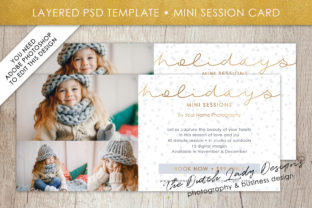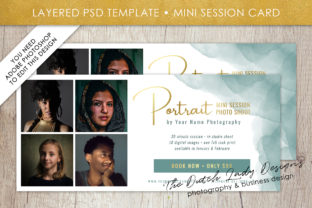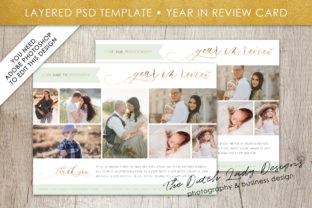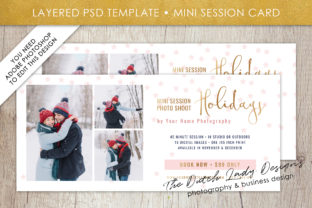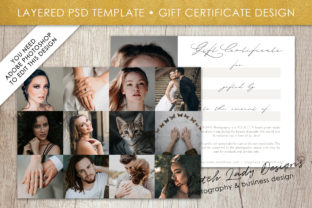
PSD Photo Gift Certificate Card Template
If you're designing a gift certificate that feels personal, polished, and professional—especially one meant to showcase a photo—you’ve likely encountered the PSD Photo Gift Certificate Card Template. It’s a layered Photoshop file designed for customization: drop in your own image, adjust text, tweak colors, and export print-ready or digital-ready files. Unlike generic online generators, this format gives you pixel-level control—ideal for photographers, small studios, boutique shops, educators offering workshops, or freelancers gifting services.
Why people reach for this template—and why it sometimes backfires
Many assume that because it’s a PSD file, it’s “plug-and-play.” That’s where things go sideways. A PSD isn’t a magic button—it’s a tool that rewards preparation and punishes assumptions. For example, someone downloads a $7 template labeled “Photo Gift Certificate,” opens it in Photoshop, drops in a smartphone portrait, and is stunned when the face looks stretched or the background turns muddy. The issue isn’t the template—it’s the mismatch between the original design’s intended photo ratio, resolution, and layer structure and what was supplied.
Another common misstep? Treating the PSD as if it were editable in Canva or Google Slides. You can’t double-click text in a flattened layer, nor can you recolor a smart object without unlocking it first. Beginners often skip reading the included README or watch a 30-second tutorial instead of the full 4-minute walkthrough—then spend an hour trying to edit text that’s buried inside a group named “BG_ELEMENTS_FINAL_v2” (yes, some templates really do that).
1. Layer organization isn’t optional—it’s functional
A well-structured PSD uses clear layer names, grouped folders, and non-destructive editing practices (like adjustment layers instead of baked-in color changes). But not all templates follow this standard. Some bundle everything into a single “Background” layer, making font changes impossible without rasterizing—or worse, deleting and re-creating text from scratch. Before downloading, check preview images or demo videos for visible layer thumbnails. If the layers panel looks like a tangled wire diagram, walk away—even if the design looks gorgeous.
2. Photo placement relies on more than dragging and dropping
Most quality PSD Photo Gift Certificate Card Templates include a designated photo frame—often a smart object or clipping mask. But here’s what’s rarely mentioned: the ideal source image should be at least 3000×2000 pixels at 300 DPI *and* match the aspect ratio of that frame (e.g., 4:5 for vertical certificates, 16:9 for wide ones). Using a cropped Instagram square photo forces Photoshop to stretch or compress it—degrading clarity and creating awkward empty space. Instead, crop your photo *before* importing, using the exact dimensions shown in the template’s guide.
3. Typography choices carry real weight
The template may use a stylish script font—but if it’s licensed only for personal use, printing 100 physical cards for your wedding photography business could risk a copyright notice. Always verify font licensing in the product description. Better yet, replace decorative fonts with system-safe or open-license alternatives (like Playfair Display or Inter) before finalizing. Bonus tip: Use layer styles (not rasterized effects) for shadows or glows—so you can tweak them later without starting over.
What to check *before* you download or buy
- Photoshop version compatibility: Does it require CS6, CC 2020+, or support older versions? Some templates use newer features (like Properties panel-linked smart objects) that won’t open cleanly in older software.
- File size and complexity: A 25MB PSD with 80 layers might overwhelm a laptop with 8GB RAM. Look for lightweight alternatives if you’re working on modest hardware—or opt for templates with “light” and “pro” versions.
- Included assets: Are fonts, icons, and mockups bundled? Or do you need to hunt down matching vectors separately? One creator assumed the floral border was native to the PSD—only to find it was a linked .ai file they couldn’t open.
- Export guidance: Does the listing explain how to save for web (PNG/JPEG), print (PDF/X-1a), or email (optimized PDF)? Vague instructions like “just export!” leave room for blurry previews or CMYK vs. RGB surprises.
Better habits—not just better templates
Start with your use case, not the design. Ask: Will this live on-screen, printed on matte cardstock, or shared via email? A high-res photo certificate works beautifully for a photographer’s holiday promo—but if you’re handing it out at a local farmers’ market, simplify fonts, increase contrast, and test how it reads under fluorescent lighting.
Always duplicate the original PSD before editing. Name your copy clearly: “GiftCert_SarahStudio_2024_Print_v2.psd”. This habit saves hours when you accidentally merge layers or delete a key element.
And don’t overlook the power of soft proofing. In Photoshop, go to View > Proof Setup > Working CMYK before exporting for print. What looks vibrant on your screen may shift dramatically on paper—especially deep blues and bright reds. A quick toggle reveals whether your “crimson” text will land as dull maroon.
When a PSD isn’t the right call
That’s okay—and knowing it is part of using these tools wisely. If your goal is speed over precision (e.g., generating 50 unique gift cards for a team event), a well-designed Canva template with photo upload + auto-resize may serve you better. If you need variable data (names, dates, amounts), look for templates built for mail merge or paired with Excel-compatible fields—not static PSDs.
Similarly, if you’re building a recurring service—say, monthly client appreciation certificates—consider investing time into a reusable Photoshop Action or simple script that auto-fills fields and exports batches. It pays off after the third use.
A PSD Photo Gift Certificate Card Template is a thoughtful shortcut—not a substitute for intention. It shines when matched with realistic expectations, a little prep, and respect for how design tools actually behave. Choose one that respects your time, matches your tech setup, and leaves room to add your voice—not just your logo. Because the best gift certificates don’t just say “thank you.” They feel like they were made for *that person*, on *that day*, by *someone who paid attention*.